Custom Soap - Documentation
How to create a Custom Soap product?
- Log into your Shopify store
- Click Products from the Admin panel on the left side of your browser
-d483994df58546ec726314e6aecfe230.png)
- Create a new product
- Click the button Add product, located in the top right-hand corner of your browser

- Change the product template to: product.soap.
-5292ed1c8e293921f39b0a6d2e0c52ee.png)
- Add the product details to the new product, these include name, pictures, product description etc..
- When finished click the Save button

- Set the product status to Active
- Select Active from the dropdown under Product status:

- Click Online Store from the admin panel on the left side of the browser
-f2b474aabfebf8304c03a8f4dd713bb7.png)
- Access the theme customizer by clicking on the button Customize from your theme

- In the theme customizer select product page from the Dropdown at the top of the page

- Change the end of the URL to the name of your product
- In this example, the product is called custom-soap

- From the customizer admin panel click Product page
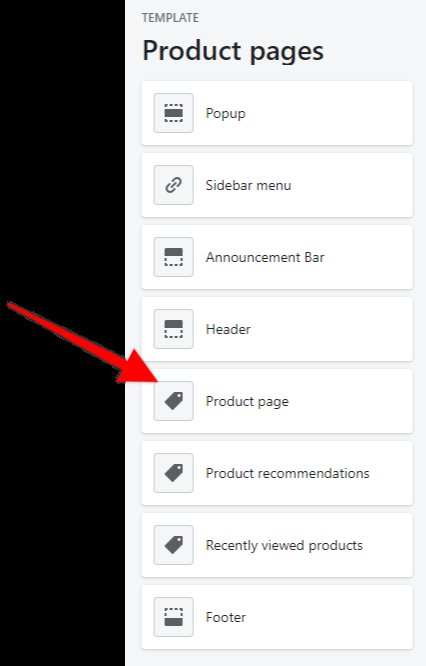
- Add the desired fields to be displayed
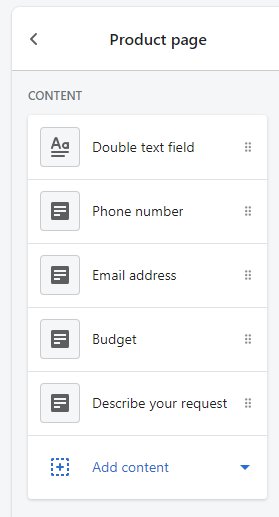
- There are Content blocks available:

-
- Add the blocks you want
- When you are done with your updates press the Save button located in the top right corner of the browser.
