How to manually change the shipping costs in Shopify
- From your Shopify admin panel on the left side of the screen click on Settings at the bottom left corner of the page
-1a73faeadae154782087206b4502036e.png)
- Click Shipping and delivery:
-60af7dcac0da66f2b468cdc273a92861.png)
- Click Manage rates:
-a5fc775f55afb186f4aa5acb11029680.png)
- Under Domestic USA, edit the Price $8 & $4 to $1
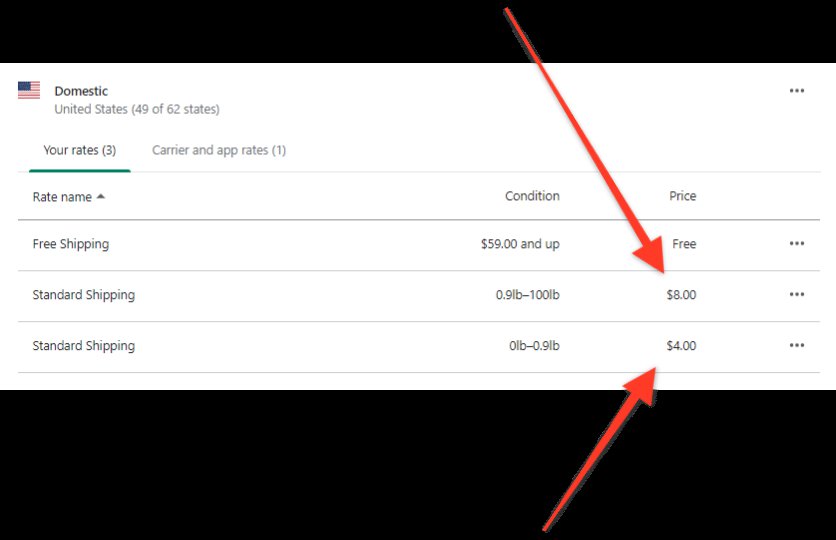
- Change the free shipping rate to be from $1 and up.
- Verify that the shipping prices for the USA are all Free
- Click Save at the bottom of the page to complete the change.