How to Change Billing Information for a subscription
Manage your account / subscription:
- Login to your account by clicking on the account icon located in the top right hand corner on every page.
- Once you Login, click on the MANAGE SUBSCRIPTION on the lower right portion of your MY ACCOUNT portal.
-ea0a728c9b39e9d2b53703f937431436.png)
- To Edit your Billing Information, click on BILLING INFORMATION located in box A on the image below.
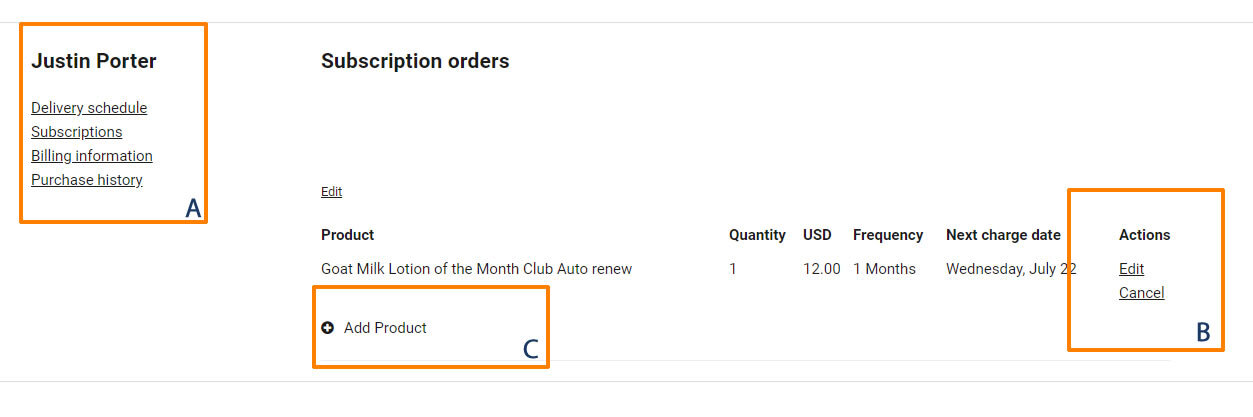
- On the Billing information page click on link Update card located on the right side of the page.

- To Edit your product subscription, click EDIT in box B, refer to below image.
- To Add a new product to your subscription, click on ADD PRODUCT in box C, , refer to below image.
- If you want to pause deliveries or skip a month, click on DELIVERY SCHEDULE in Box A, refer to below image.
-8af6aa2a4b6d7557e6b9b3a9c61026dd.png)