New FAQ Template Configuration
New FAQ template is in this theme: [DEV] New FAQ Template (not live yet)
In the dropdown at the top, select PAGES > faq template
The first section = page.faq page (this is the old template and can stay as hidden)
The section you want to look at is: FAQ\
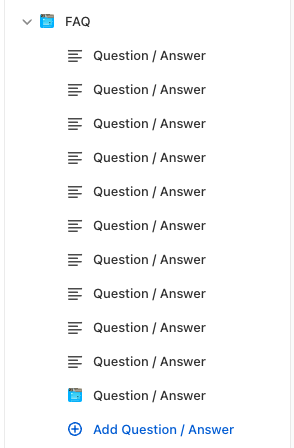
When you select the FAQ section, you will see these settings:
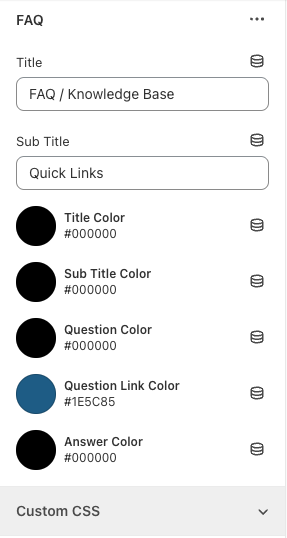
Title = Page title
Sub title = The subheading above the quick links at the top of the page
Title color = can change the color of the page title
Sub title color - can change the color of the subheading above the quick links
Question color = The question heading color
Question link color = can change the color of the quick links
Answer color = the color of the answer text
To add a question/answer block, click Add Question / Answer\

Block settings for question/answer block
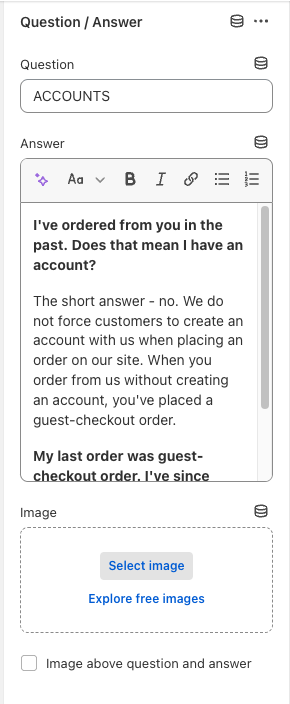
Question = the question heading text
Answer = where you enter all of the content
Image - can add an image per block (if needed - like the rewards information)
Checkbox = can place the image above the answer, if you wanted to. Only applies when checked.