Customer Account Sync
A customer sync is required to make sure customer information is up to date in shopify. The sync runs ,by default, 1 minute past midnight (00:01) every Monday.
If for any reason, a manual sync needs to be triggered, you can do this directly in the app. To find the sync open the app in the Shopify admin. Navigate to the tab called manual syncs. Once on this page, click the Run Sync button under the section called Customer Sync. This will immediately trigger a sync and should finish within an hour. We recommend not pressing the button a second time until at least an hour has passed.
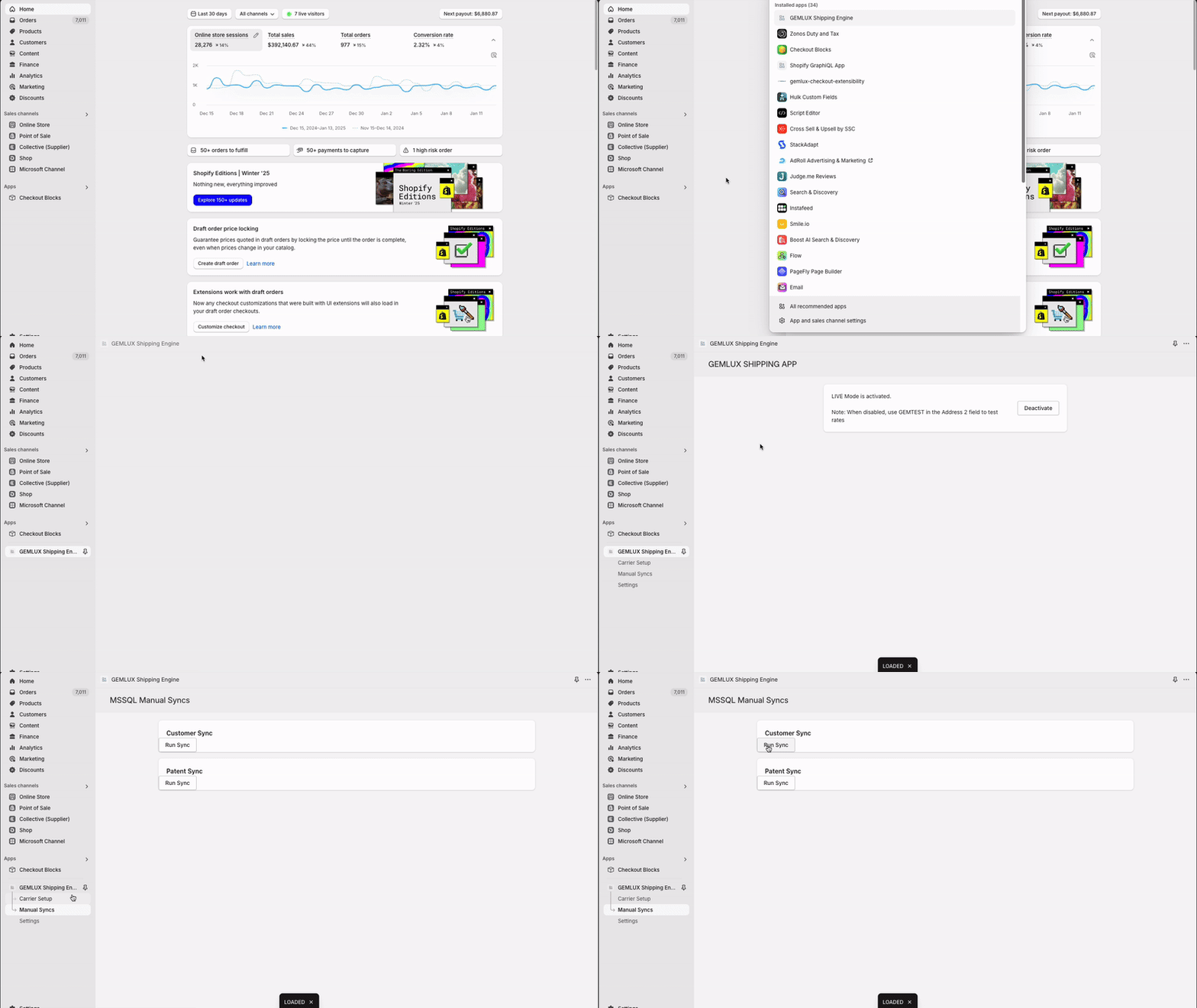 Where to find the sync button