Version 2: Documentation for personalization app
Changes in this update:
- Variants that no longer exist do not display in the variants dropdown
- Layout has been updated for smaller displays
- SKU options will now allow you to specify values for front and back in both the product editor and the Settings page
New Layout
Product Editor
-c5d9c00bcbdc914d551c0d67071a777a.png)
When opening the products page, you will now be presented a list of all configured products in the store. To view a product and edit it, you will need to click on a product. The product list will then disappear and you will be presented with the product editor. Other functionality remains the same.

The product editor has also been updated- the image preview editor has been moved to fill the top of the page, and the SKU builder components are underneath the editor.
To return to the product list, click the “< Product List” button in the top-left corner of the page.
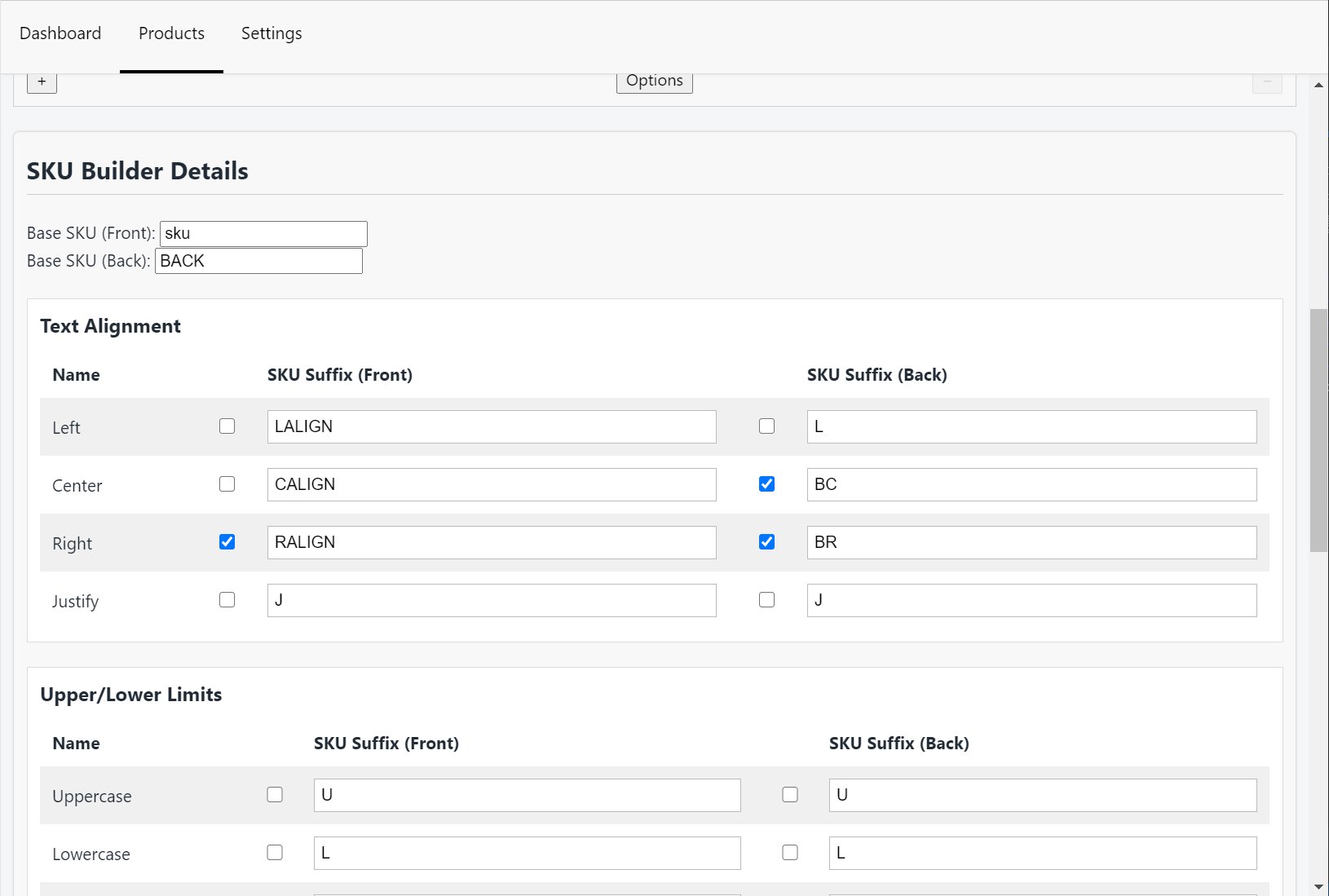
The SKU builder has consolidated the separate lists for front and back options into one singular list. To the left of each component, there is a checkbox which will control whether that component is enabled on the front end.
Settings Page
-748f0fd3b8f333b3997623bda520384f.png)
The only section on the settings page that has changed is the SKU Options section. The SKU Options will now allow you to specify default values for both the front and back options.