Collection metafields mobile images
Go to settings
-58b394ccf5be3c733d6a6d8660eabe76.png)
Click FILES
-be7ff1bf44538cf145a634781667a19b.png)
Upload the mobile image for the collection page
-66bcc7e4d851c04478e904379c2358c5.png)
Copy link of image
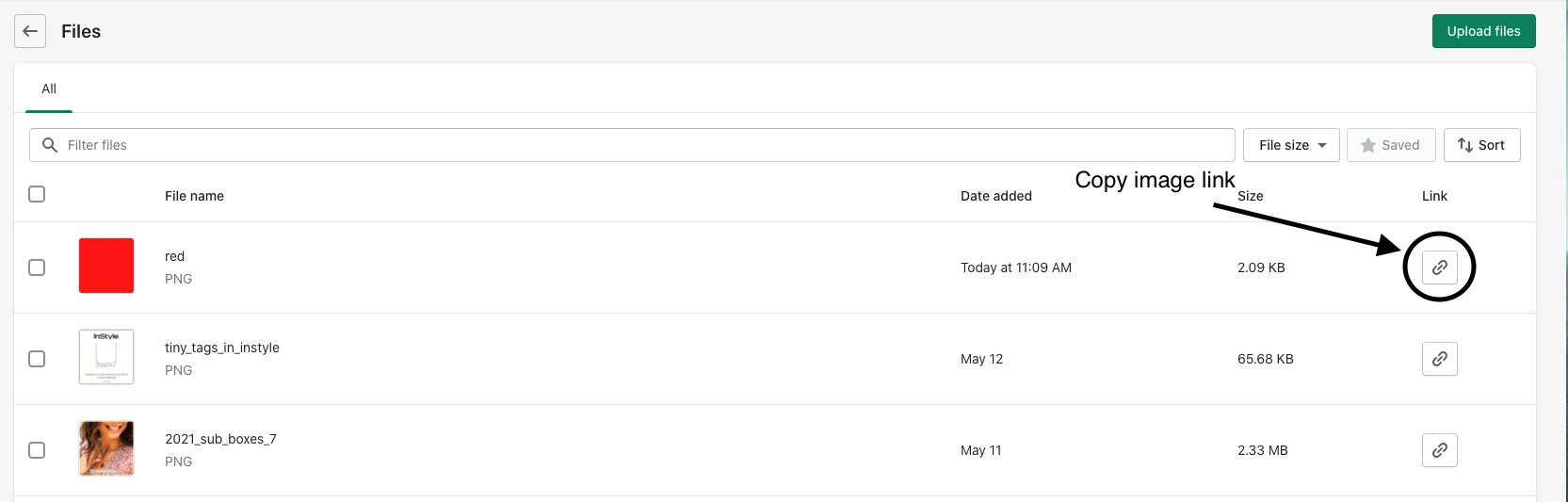
Click Poshify Utils on the left side of page
-416a1d5871e722ba90b6be5e05ed7ded.png)
Click Metafields Editor
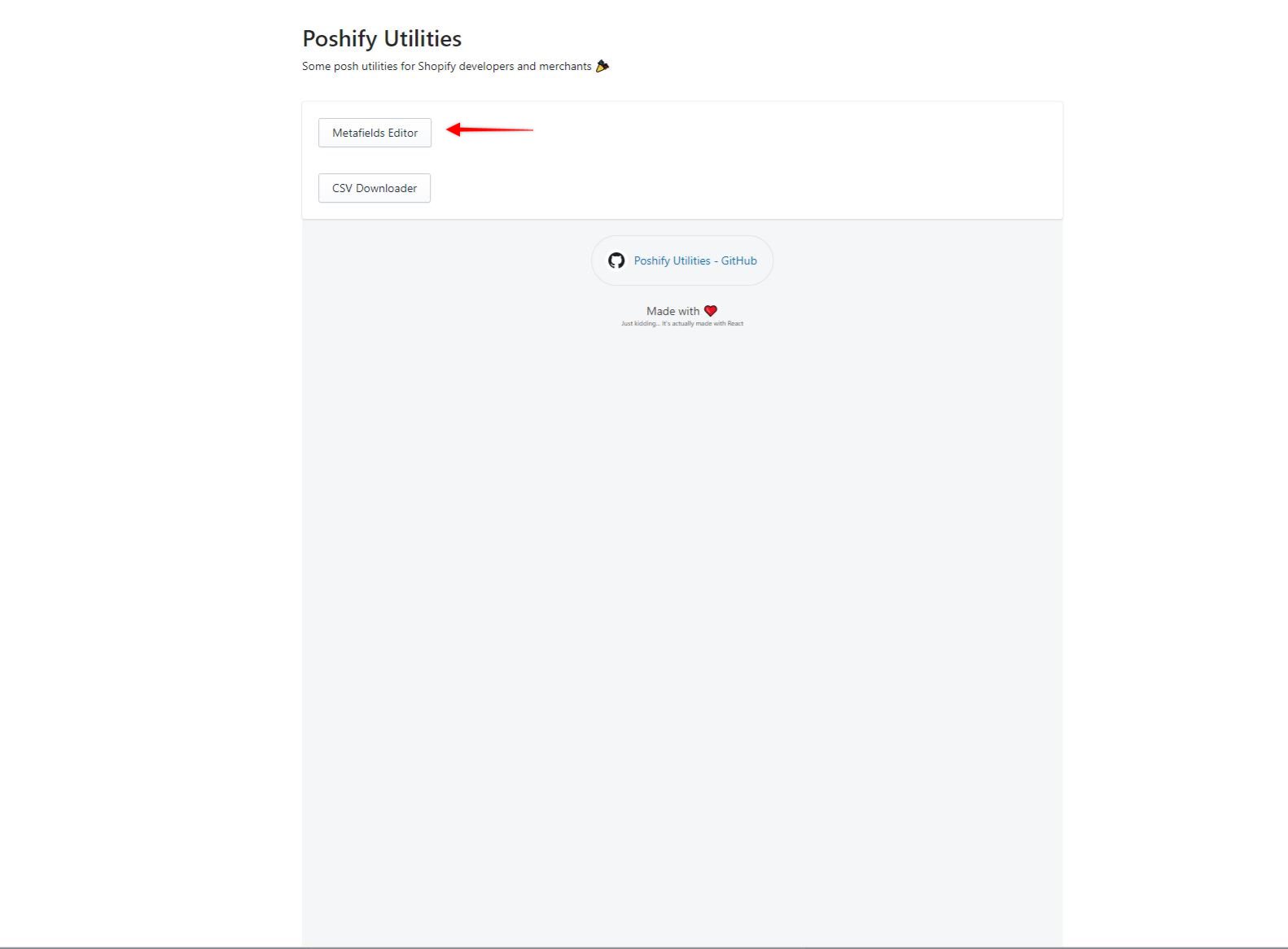
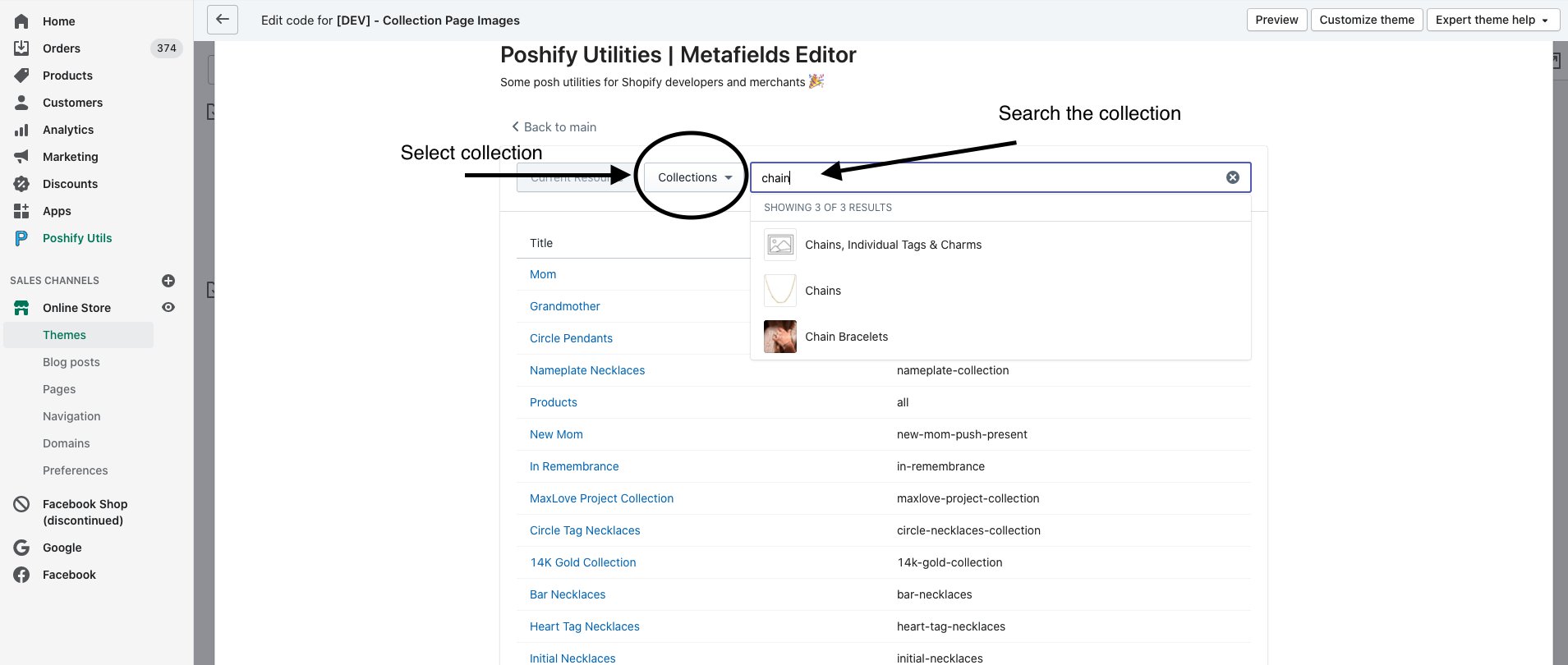
Choose the collection and add a metafield for namespace: header and key: image_mobile
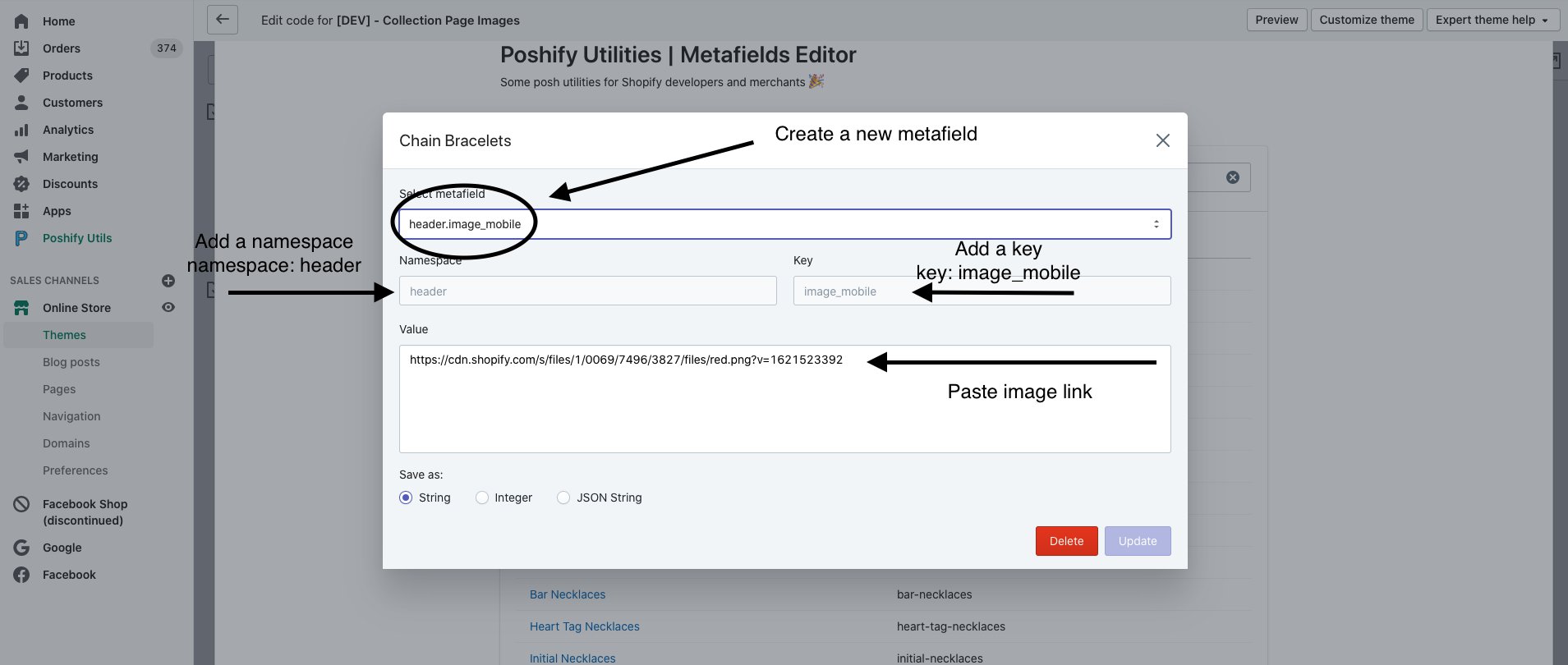
Then click update and it will save the mobile image for that collection
To Delete A Mobile Image Metafield
Search the collection then select the collection
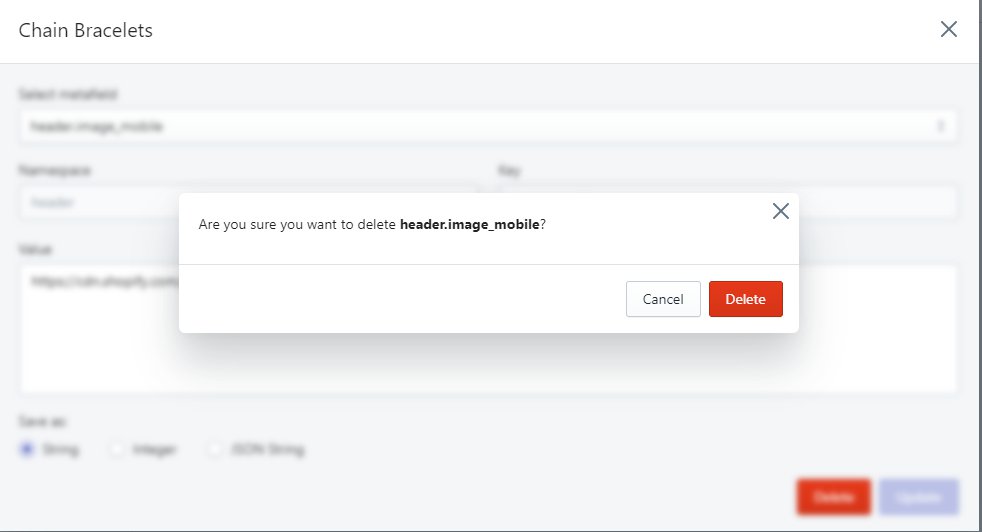
Make sure header.image_mobile is the metafield selected
-35d205045ef6d5c01357f517c5844fad.png)
Then click DELETE and a pop-up will appear asking if you’re sure, then click DELETE AGAIN
Then hit the X in the top right corner to close out of the metafields for that collection.