Checkout Points Slider
Setup
Setup and initial configuration has been completed in your LIVE Shopify Theme. You may need to validate setup if you have duplicated this theme.
-
Obtain the SmileIO Points Rewards ID
- Click on APPS
- Select Smile: Rewards and Loyalty App
- Click on Program
-
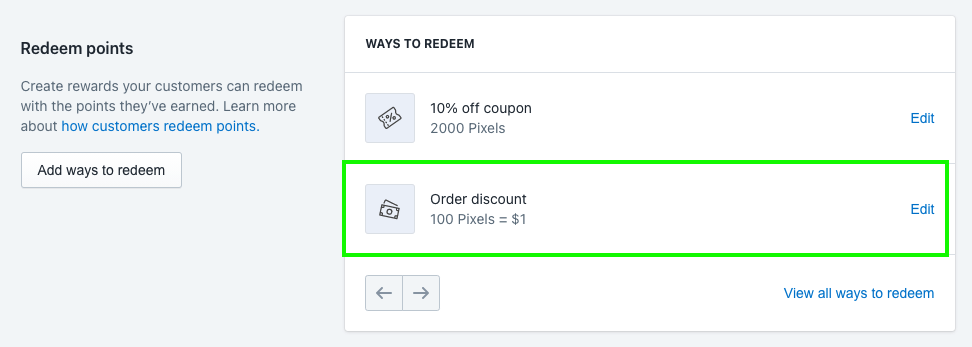
Under the Redeem Points section, click on Order Discount EDIT link
-
Note the ID number in the url -
https://app.smile.io/reward-programs/points/rewards/**`522028`**?codes\_page=1\&codes\_tab=import
-
In the example above, the code is 522028
-
Open Theme Editor
-
In the top bar, select CHECKOUT

-
Select Smile Checkout on the left panel.
-
Enter the ID number from step 1 into the Smile Program ID box and hit SAVE
-
You can now exit the Editor using the ← Arrow on the top left.
Is the slider no longer visible?
- Verify the SmileIO ID Number has not changed using the steps above under setup. Anytime you save in SmileIO there is a potential for this ID number to change.
- Verify the user is signed in and has an available point balance.
- Verify the user is not on the suspended list of users.