Preorder Update
We control the preorder update by using product tags
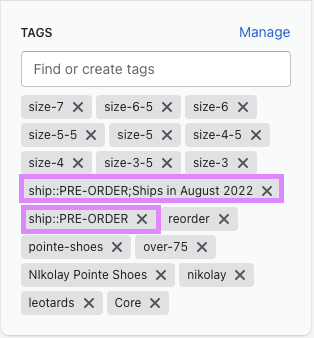
Any item that you want to make a preorder item, HAS to be tagged with:
ship::PRE-ORDER
To add a date time or any kind of messaging for preorder, add the following product tag:
EXAMPLE
ship::PRE-ORDER;Ships in August 2022
Any text added AFTER the semi-colon, can be formatted any way.
There are also preorder checkboxes in the theme customizer that enables the preorder functionality.
In theme settings, select PRODUCTS. You will then see these 3 checkboxes:\
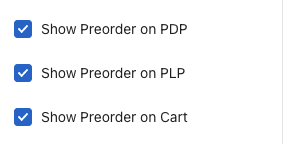
Make sure these are enabled.
When the product is no longer a pre-order item, just need to remove the product tags from the product.