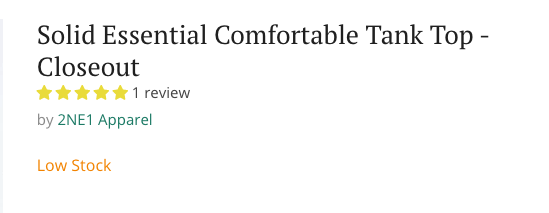
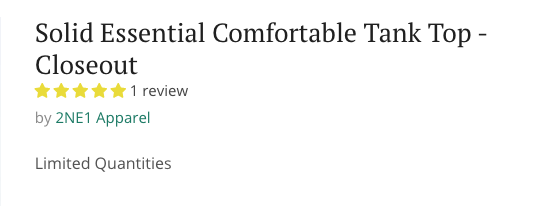
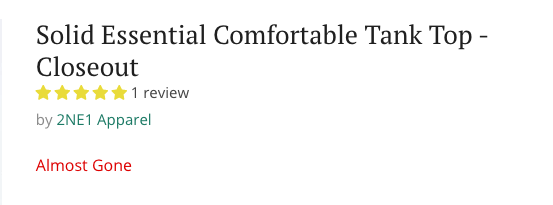
Inventory Messaging Update
In the theme customizer, go to products in the dropdown, and click default product
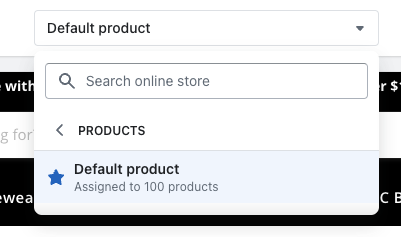
Click on the PRODUCT PAGES Section

Then click on the THEME SETTINGS section

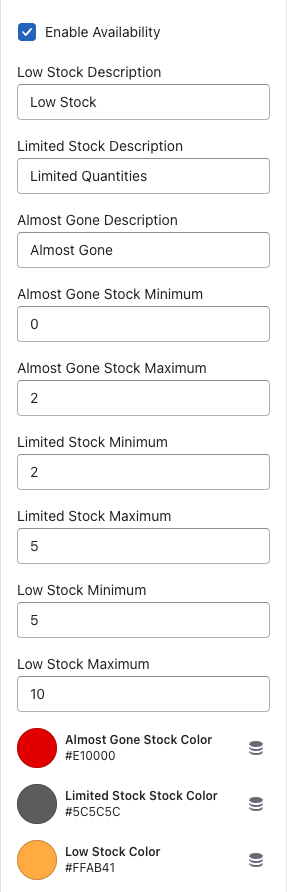
Enable Availability Checkbox = Enables/disables the availability messaging on the PDP
Low Stock Description, Limited Stock Description, & Almost Gone Description Text Fields = The text that outputs on the product page when the min/max is reached
Almost Gone Minimum / Maximum = You can select the amount for the minimum & maximum which will then indicate the almost gone text to display
Limited Stock Minimum/Maximum = You can select the amount for the minimum & maximum which will then indicate the limited stock text to display
Low Stock Minimum/Maximum = You can select the amount for the minimum & maximum which will then indicate the low stock text to display
Colors - You can choose a color for each stock message
Output on the Website: