Lockdown section on default page template
This lockdown section allow an email sign in form to appear before the user can view the page
How to customize the lockdown pop-up
Navigate to your theme customizer
Go to PAGES in the dropdown
You will see a section called LOCKDOWN on the left (make sure you go to the catalog page)
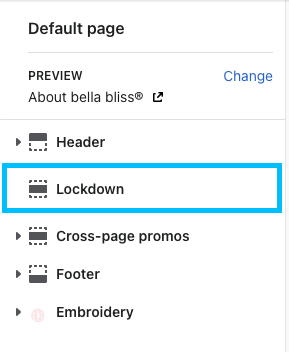
When you click on the lockdown section, you will see these following settings:

Background color - can choose the color of the background on the pop-up
Background image - can choose a background image instead of a color in the color selector
Heading text - where you write the heading text that you want to display on the pop-up
Paragraph text - where you enter text to give the user a brief description
Button text - where you enter text for the button to display
Klaviyo list ID - the list name of the klaviyo form
Checkbox - this allows you to see the lockdown pop-up in the editor. Helps with configuring pages in the customizer
How to apply the lockdown metafield to pages
Open POSHIFY UTILS Metafield editor
Select PAGES in the dropdown
Search for the page you want to add this lockdown pop-up to
The metafield is:
Namespace: lockdown
Key: lock
Value: true
Save as: string
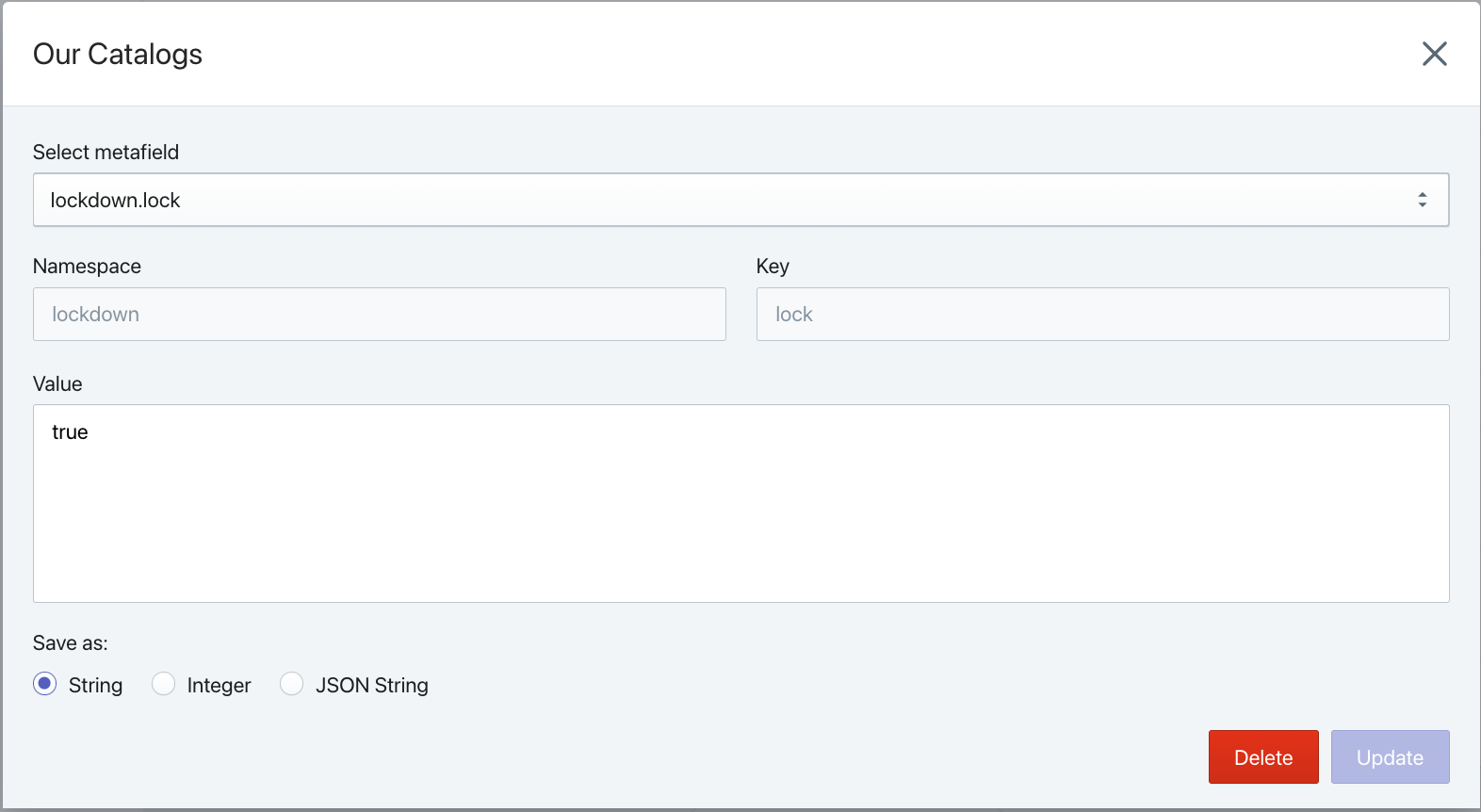
Then click SAVE