How to update swatch settings
In the theme customizer, in the dropdown, select PRODUCT > DEFAULT PRODUCT
On the left, underneath the Product Information section, you will see a block called VARIANT OPTIONS. Select this block
You will see these settings:
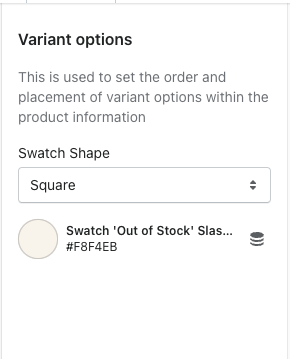
Swatch shape = where you can choose between round or square for the shape. Note - whatever shape you choose, will be applied to every swatch on the product page.
Swatch "Out of Stock" Color = click on the color selector and you can change the slash to any color you want