Header Configuration
Header

Logo Image = This is where you can change the logo image that displays in the header bar
Logo Height = You can change the height of the logo - if you want it to be taller or shorter
Mobile Logo Height = You can change the height of the logo on mobile specifically - if you want it to be taller or shorter
Desktop logo position/menu position - You can change the placement of where the logo shows and the menu: Logo left, menu center | Logo left, menu left | Logo center, menu left
Sticky header shadow = When you scroll down on the site, the menu turns into a 'sticky' menu, so the menu is always accessible wherever you are on the page. To show a difference between the menu and the background of the site, there is a shadow that appears and you can control how dark you want it to be.
Menu Settings
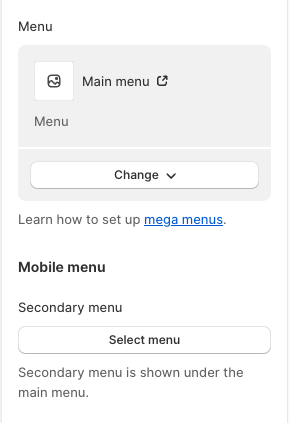
Menu = The menu you create in the navigation section of the admin that displays collection links, product links, and page links.
For the mobile menu, you can add a secondary menu that shows as links under the main navigation
Search

Predictive Search = When you search for something in the search bar, it shows suggestions of what you may be looking for. If you turn this off, it disables that functionality and works as a normal search bar.
Popular Searches = You can create a menu that specifies popular searches for the user to see when they click into the search bar.
Announcement Bar Section

Show Announcement = Displays the announcement bar on the site. When disabled, no bar shows on the site
Homepage Announcement = Shows the announcement bar on the homepage only
Announcement Vertical = When there are multiple messages in the announcement bar, when the message changes it changes vertically. When this setting is disabled, the messages change horizontally
Announcement color = The text in the announcement bar color
Announcement background = The color of the announcement bar itself
Auot Play Speed = This controls the speed of the transition of messages when there are mutltiple