Product Display Page
PDP Available Templates
Currently, there are 2 different templates for the PDP. Make sure to apply the correct template to your product or the output might not be correct.
| Template Name | When to Use | Sample PDP |
|---|---|---|
| Default | Tile Products, Mosaic Products | Visit Page |
| Fireplaces | Fireplace Products | Visit Page |
Theme Settings - PDP
The product display page has a few global settings that can be modified to change some information displayed on the PDP. To modify theme settings related to the PDP, open up theme settings from the Theme Customizer. These settings can be found under Product Display Pages and Finish Settings. Below are a list of settings with details on what they can modify:
| Name | Description | Default Value |
|---|---|---|
| Square Feet Price Info Text | The text inside the pop up bubble next to the price field. | "To calculate your square footage, multiply length times width." |
| Finish Dropdown's Info Text | The text for the information popup above the finish dropdown | N/A |
| Finish Dropdown Description | The text underneath the finish dropdown | N/A |
Finish Modal Title ( Deprecated ) | The heading at the top of the finish modal. | "Learn About Our Finishes" |
Finish Modal Description ( Deprecated ) | The description underneath the finish modal heading | N/A |
Antico Finish Dropdown Description ( Deprecated ) | The description of Antico when the user hovers over that image within the modal. The description under the finish dropdown selector. | "Lightly rugged surface with square edges." |
Artisan Finish Dropdown Description ( Deprecated ) | The description of Artisan when the user hovers over that image within the modal. The description under the finish dropdown selector. | "Slightly coarse surface with artisanal edges." |
Brushed Finish Dropdown Description ( Deprecated ) | The description of Brushed when the user hovers over that image within the modal. The description under the finish dropdown selector. | "Unevenly worn surface with square edges." |
Chateau Finish Dropdown Description ( Deprecated ) | The description of Chateau when the user hovers over that image within the modal. The description under the finish dropdown selector. | "Softly eroded surface and edges." |
French Quarter Finish Dropdown Description ( Deprecated ) | The description of French Quarter when the user hovers over that image within the modal. The description under the finish dropdown selector. | "Coarse and eroded surface with multifaceted artisanal edges." |
Honed Finish Dropdown Description ( Deprecated ) | The description of Honed when the user hovers over that image within the modal. The description under the finish dropdown selector. | "Matte even surface with square edges." |
Maison Finish Dropdown Description ( Deprecated ) | The description of Maison when the user hovers over that image within the modal. The description under the finish dropdown selector. | "Smooth unevenly worn surface with multifaceted artisanal edges." |
Parisian Finish Dropdown Description ( Deprecated ) | The description of Parisian when the user hovers over that image within the modal. The description under the finish dropdown selector. | "Smooth, even surface with artisanal edges." |
Pillowed Finish Dropdown Description ( Deprecated ) | The description of Pillowed when the user hovers over that image within the modal. The description under the finish dropdown selector. | "Smooth, even surface with rounded edges." |
| Polished Finish Dropdown Description ( Deprecated ) | The description of Polished when the user hovers over that image within the modal. The description under the finish dropdown selector. | "Glossy surface with square edges." |
| Suede Finish Dropdown Description ( Deprecated ) | The description of Suede when the user hovers over that image within the modal. The description under the finish dropdown selector. | "Lightly textured surface with hand-rounded edges." |
Hand Hewn Finish Dropdown Description ( Deprecated ) | The description of Hand Hewn when the user hovers over that image within the modal. The description under the finish dropdown selector. | "This is a test description B." |
| Villa Finish Dropdown Description ( Deprecated ) | The description of Villa when the user hovers over that image within the modal. The description under the finish dropdown selector. | "This is a test description A." |
| Antico Image Before Hover ( Deprecated ) | The Image shown before the user hovers over the Antico image. | NA |
| Artisan Image Before Hover ( Deprecated ) | The Image shown before the user hovers over the Artisan image. | NA |
| Brushed Image Before Hover ( Deprecated ) | The Image shown before the user hovers over the Brushed image. | NA |
| Chateau Image Before Hover ( Deprecated ) | The Image shown before the user hovers over the Chateau image. | NA |
French Quarter Image Before Hover ( Deprecated ) | The Image shown before the user hovers over the French Quarter image. | NA |
| Honed Image Before Hover ( Deprecated ) | The Image shown before the user hovers over the Honed image. | NA |
| Maison Image Before Hover ( Deprecated ) | The Image shown before the user hovers over the Maison image. | NA |
| Parisian Image Before Hover ( Deprecated ) | The Image shown before the user hovers over the Parisian image. | NA |
| Pillowed Image Before Hover ( Deprecated ) | The Image shown before the user hovers over the Pillowed image. | NA |
| Polished Image Before Hover ( Deprecated ) | The Image shown before the user hovers over the Suede image. | NA |
| Suede Image Before Hover ( Deprecated ) | The Image shown before the user hovers over the Antico image. | NA |
| Hand Hewn Image Before Hover ( Deprecated ) | The Image shown before the user hovers over the Hand Hewn image. | NA |
Villa Image Before Hover ( Deprecated ) | The Image shown before the user hovers over the Villa image. | NA |
Antico Image Hover ( Deprecated ) | The Image shown after the user hovers over the Antico image. | NA |
Artisan Image Hover ( Deprecated ) | The Image shown after the user hovers over the Artisan image. | NA |
Brushed Image Hover ( Deprecated ) | The Image shown after the user hovers over the Brushed image. | NA |
Chateau Image Hover ( Deprecated ) | The Image shown after the user hovers over the Chateau image. | NA |
| French Quarter Image Hover ( Deprecated ) | The Image shown after the user hovers over the French Quarter image. | NA |
Honed Image Hover ( Deprecated ) | The Image shown after the user hovers over the Honed image. | NA |
Maison Image Hover ( Deprecated ) | The Image shown after the user hovers over the Maison image. | NA |
Parisian Image Hover ( Deprecated ) | The Image shown after the user hovers over the Parisian image. | NA |
Pillowed Image Hover ( Deprecated ) | The Image shown after the user hovers over the Pillowed image. | NA |
Polished Image Hover ( Deprecated ) | The Image shown after the user hovers over the Polished image. | NA |
Suede Image Hover ( Deprecated ) | The Image shown after the user hovers over the Suede image. | NA |
Hand Hewn Image Hover ( Deprecated ) | The Image shown after the user hovers over the Hand Hewn image. | NA |
Villa Image Hover ( Deprecated ) | The Image shown after the user hovers over the Villa image. | NA |
PDP Media Section
This section currently does not have any settings in the Editor. Some important pieces to note about this section:
- If a video is included, the secondary image navigation slideshow will always be replaced with an image. See Image below:
- Clicking on an image will open it up in a modal that spans the full width of the page.
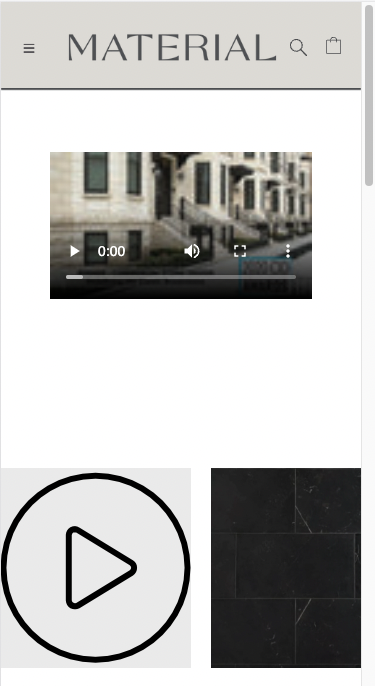 Example of video media within a slideshow
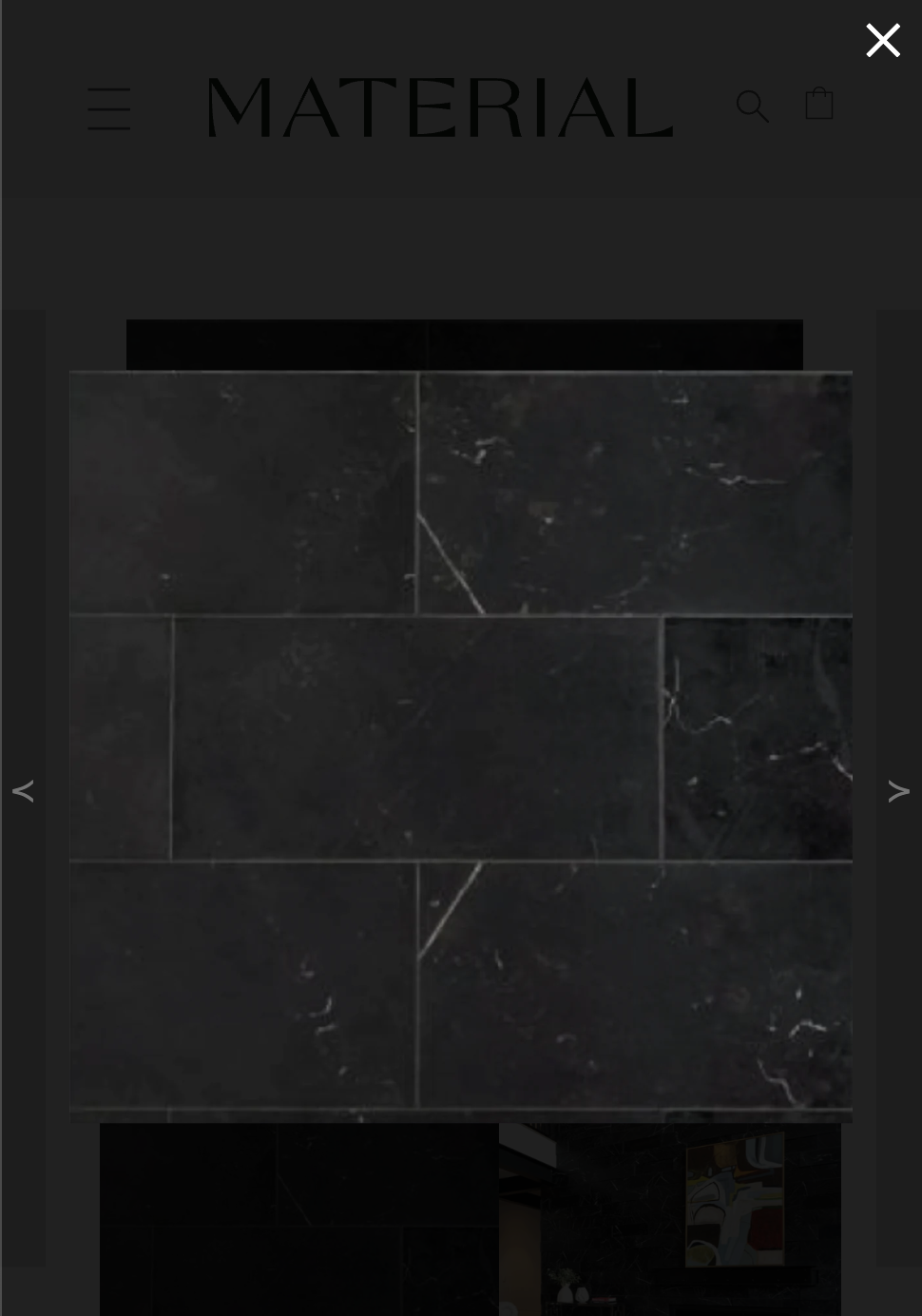 Mobile Image Modal example
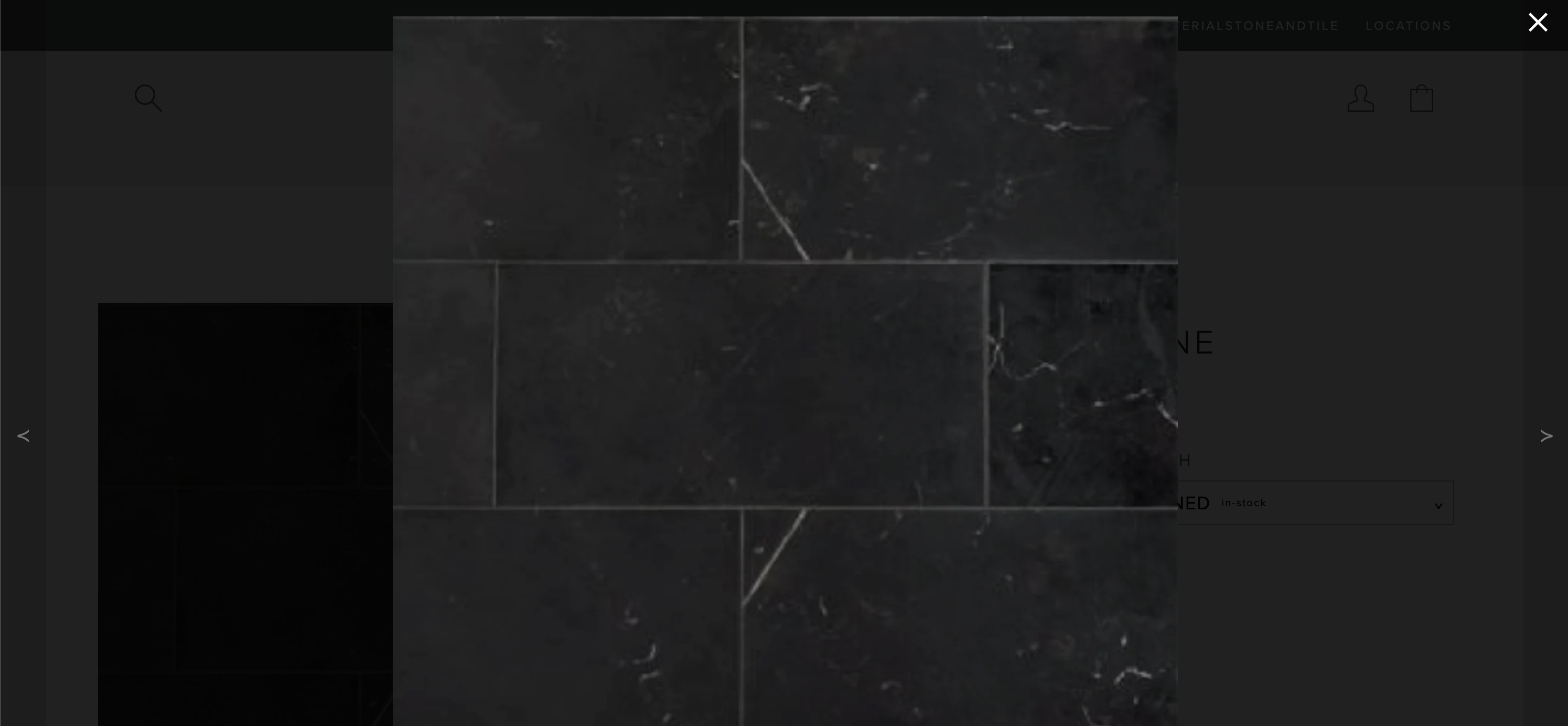 Desktop Image Modal Example
PDP Details Section
The PDP Details Section represents the right column on the PDP that contains product specific information. This section is broken up into blocks that allow the user to position each block in a specific order.
Icons Block
This block holds the icons that allow the user to play video media, download spec sheets, and add items to their wishlist.

Block Limit: 1
Metafields Referenced: 1
- File for Download Button -> File
Tags Referenced: 0
Settings:
| Name | Description | Default Value |
|---|---|---|
| Show Play Button | Toggles the Play button Icon on and off for all pages. *Note: If no video media is found, the icon will not be displayed.* | False ( Not Checked ) |
| Show Download Button | Toggles the download Icon on and off for all pages. *Note: If no File is found in the "File for Download Button" Metafield, the icon will not be displayed.* | False ( Not Checked ) |
| Show Wishlist Button | Toggles the wishlist Icon on and off for all pages | False ( Not Checked ) |
Product Info Block
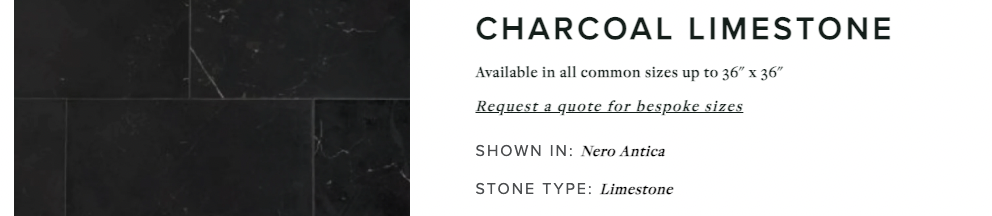
This block holds the product title, the product sizing information, the request a quote button that links to a quote form, the shown-in information, and the stone type information.
Block Limit: 1
Metafields Referenced: 1
- Product Availability -> Multi-line text
Tags Referenced: 2
- Shown In -> shown-in::name ( Deprecated )
- Stone Type -> stone-type::name ( Deprecated )
Settings:
| Name | Description | Default Value |
|---|---|---|
Show 'Shown In' Tags ( Deprecated ) | Toggles the 'Shown In:' display on or off for all pages. *Note: If no 'shown-in' tags are found on the product, Shown In will not be displayed* | False ( Not Checked ) |
Show 'Stone Type' Tags ( Deprecated ) | Toggles the 'Stone Type:' display on or off for all pages. *Note: If no 'stone-type' tags are found on the product, Stone Type will not be displayed* | False ( Not Checked ) |
Product Divider Block
This block holds a single divider that spaces blocks in the PDP Details Sections.

Block Limit: Unlimited
Metafields Referenced: 0
Tags Referenced: 0
Settings:
This Block does not contain any settings
Product Options Block
This section contains the product options and the user input field for entering in their dimensions. Please note that this section is a REQUIRED section for the PDP. Other sections rely on the functionality of this one. If missing, the PDP may not behave as expected.
Block Limit: 1
Metafields Referenced: 4
- Case Quantity -> Number representing items per case (REQUIRED FOR DEFAULT TEMPLATE)
- SQFT -> Number representing square footage per tile (REQUIRED FOR DEFAULT TEMPLATE)
Tags Referenced: 0
Settings:
This Block does not contain any settings
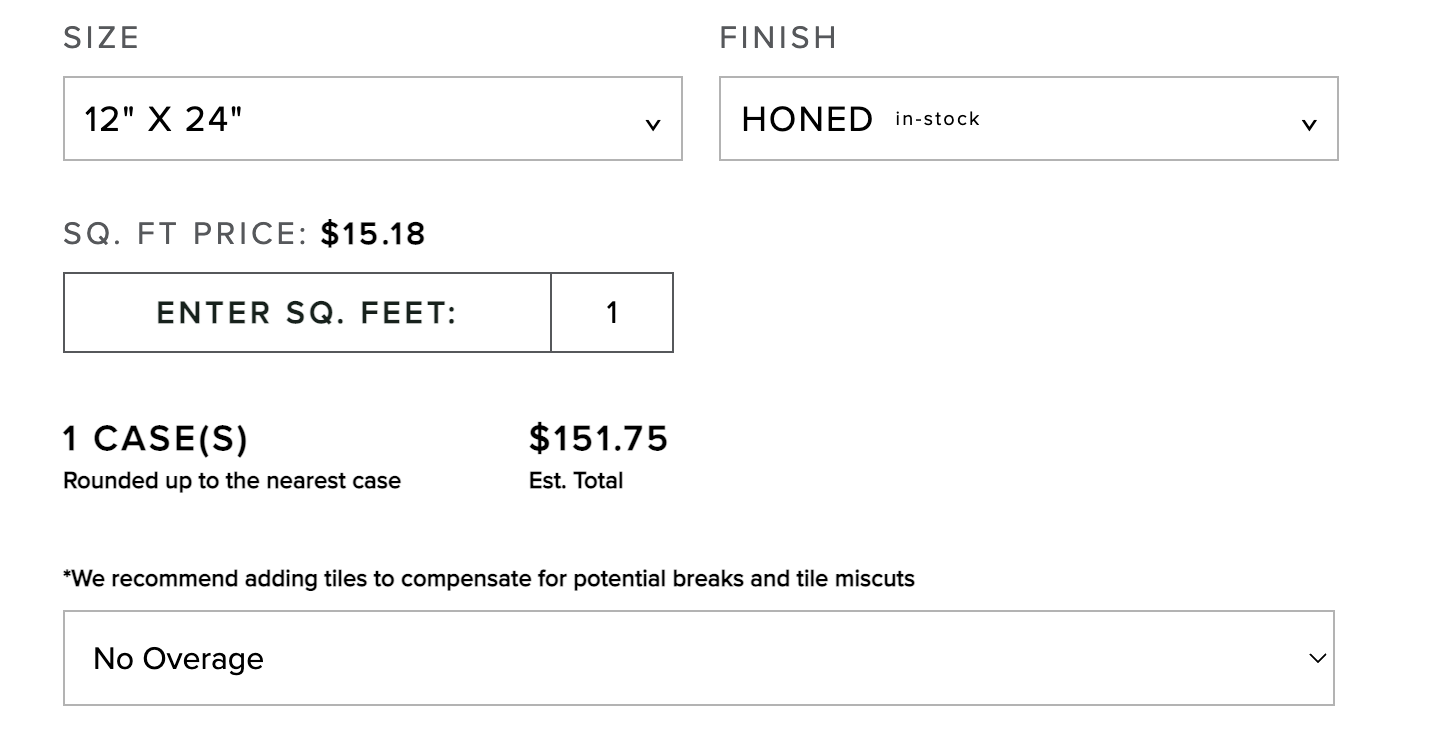 Sample Product Options on the default template
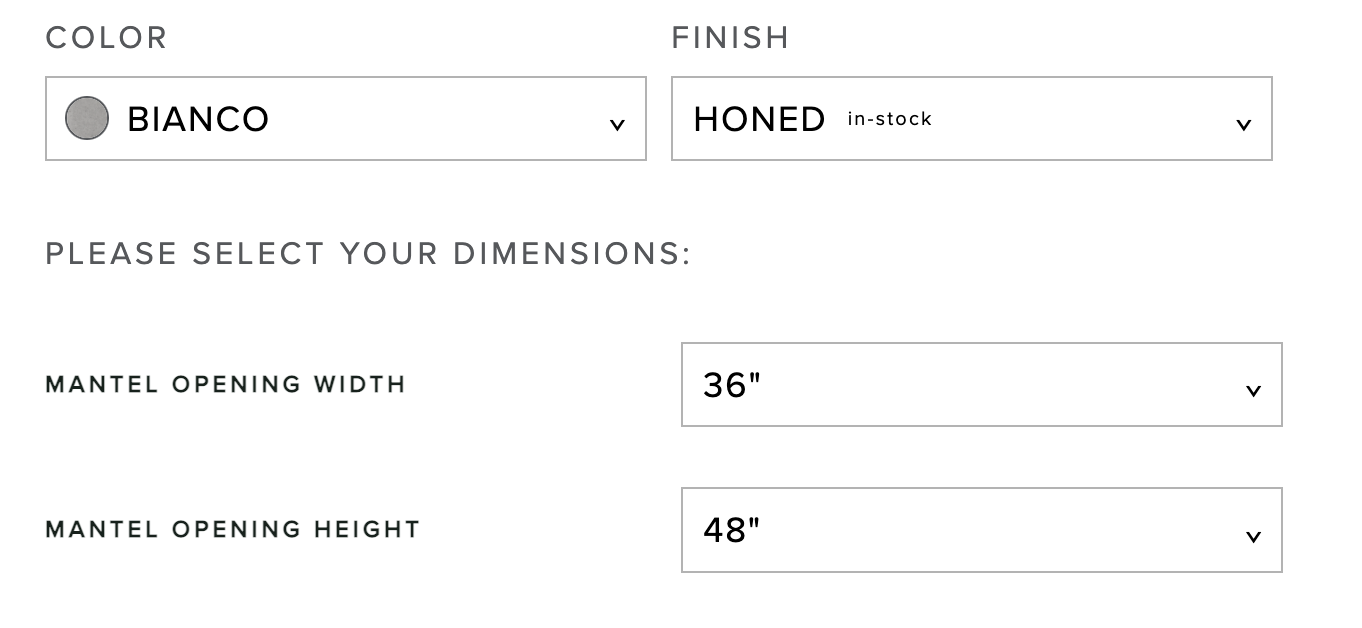 Sample Product Options on the fireplaces template
Product Details Block
This block holds the product details and the source information for the product.

Block Limit: 1
Metafields Referenced: 0
Tags Referenced: 1
- Source -> source::North America
Settings:
| Name | Description | Default Value |
|---|---|---|
| Open Details By Default | Determines if the description should be opened or closed on page load. | False ( Not Checked ) |
| Show 'Source' Detail | Toggles the 'Source:' display on or off for all pages. *Note: If no 'source' tags are found on the product, Source will not be displayed* | False ( Not Checked ) |
Add To Cart Buttons Block
This section contains the Add to Cart Button, the request a quote button with a quote modal attached, the order a sample button, the shipping estimates information, and the share icons. Please note that this section is a REQUIRED section for the PDP. Other sections rely on the functionality of this one. If missing, the PDP may not behave as expected.
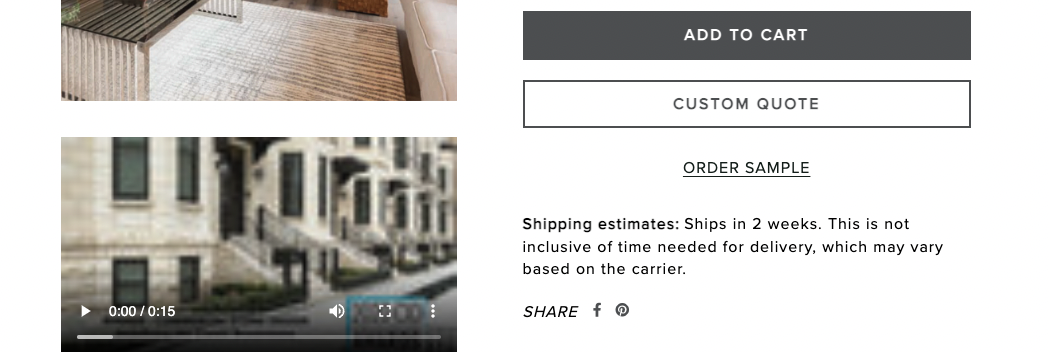
Block Limit: 1
Metafields Referenced: 2
- Shipping Message -> Multi-line text
- Product Sample Variant -> Product variant
Tags Referenced: 0
Settings:
| Name | Description | Default Value |
|---|---|---|
| Show Shipping Message | Toggles the 'shipping estimates' description on and off for all pages. | False ( Not Checked ) |
| Show Disclaimer Message | Toggles the 'Disclaimer' test above the shipping message | False ( Not Checked ) |
| Show Share Icons | Toggles the 'Share' icons on and off for all pages. | False ( Not Checked ) |
Product Specifications Block
This block holds the product specification information outlined in the product metafields for Applications, Considerations, Technical Data, and Delivery Method.
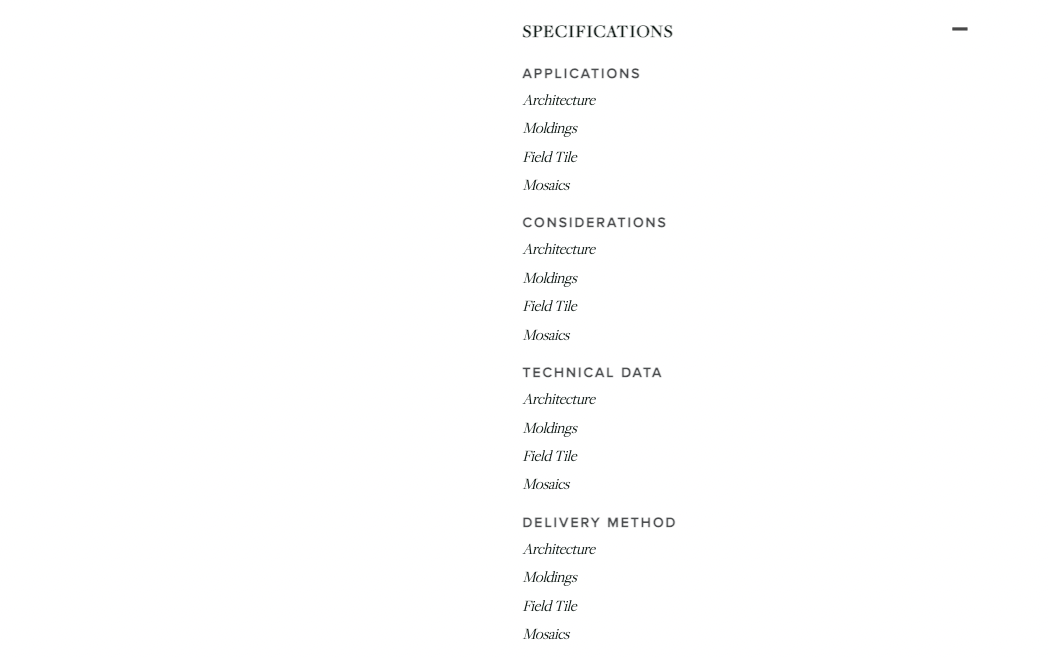
Block Limit: 1
Metafields Referenced: 4
- Delivery Methods -> Multi-line text
- Technical Data -> Multi-line text
- Considerations -> Multi-line text
- Applications -> Multi-line text
Tags Referenced: 0
Settings:
| Name | Description | Default Value |
|---|---|---|
| Open 'Specifications' by Default | Determines if the specifications should be opened or closed on page load. | False ( Not Checked ) |
Product Spec Sheet Block
This block holds the product specification sheet outlined in the product metafield for Spec Sheet.
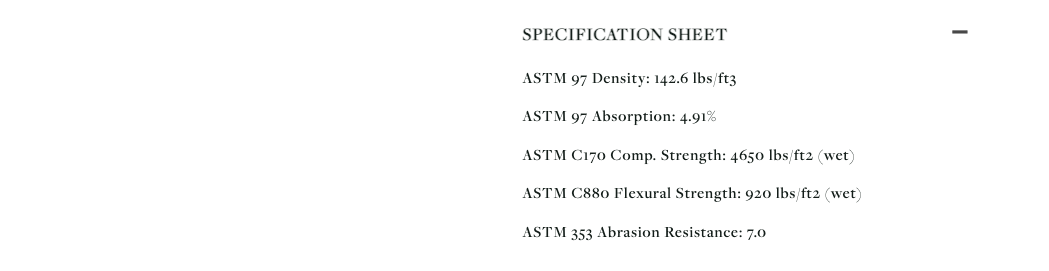
Block Limit: 1
Metafields Referenced: 1
- Spec Sheet (JSON) -> JSON
Tags Referenced: 0
Settings:
| Name | Description | Default Value |
|---|---|---|
| Open 'Specification Sheet' by Default | Determines if the Specification Sheet should be opened or closed on page load. | False ( Not Checked ) |
JSON Template:
spec-sheet-template.json
{
    "specification_sheet": [
        {
            "name": "ASTM 97 Density",
            "value": "142.6 lbs/ft3"
        },
        {
            "name": "ASTM 97 Absorption",
            "value": "4.91%"
        },
        {
            "name": "ASTM C170 Comp. Strength",
            "value": "4650 lbs/ft2 (wet)"
        },
        {
            "name": "ASTM C880 Flexural Strength",
            "value": "920 lbs/ft2 (wet)"
        },
        {
            "name": "ASTM 353 Abrasion Resistance",
            "value": "7.0"
        }
    ]
}
To add a specification sheet to a product, copy the following json and paste inside the JSON metafield. Only change the the text after "name" and "value." If you need to remove an entire name / value pair, start by finding the "specification_sheet." Here is an example of what to remove:
Let's say I want to delete "ASTM 97 Absorption." I would need to delete the following:
removed-items.json
{
            "name": "ASTM 97 Absorption",
            "value": "4.91%"
},
If done correctly, you should expect the following JSON file:
modified-template.json
{
    "specification_sheet": [
        {
            "name": "ASTM 97 Density",
            "value": "142.6 lbs/ft3"
        },
        {
            "name": "ASTM C170 Comp. Strength",
            "value": "4650 lbs/ft2 (wet)"
        },
        {
            "name": "ASTM C880 Flexural Strength",
            "value": "920 lbs/ft2 (wet)"
        },
        {
            "name": "ASTM 353 Abrasion Resistance",
            "value": "7.0"
        }
    ]
}
Swatches
Uploading swatches to display on the product page
Upload image into the files section - it needs to be named like the following
swatch-color.png
AKA: swatch-red.png