Adding an Image to the Bottom of a Collections Page Using Metafields Custom App
- Sign in to your Admin page: https://shop-gemlux.myshopify.com/admin
- Click on PRODUCTS, then COLLECTIONS:
-a4dc33a9b669a5ae7759a6585f5aaa96.png)
- Select the Collection you want to add an image to. In this example we selected “Boat Deck Hardware”
- Click MORE ACTIONS:

- Select EDIT METAFIELDS. This opens the “Metafields Custom Field Master” app
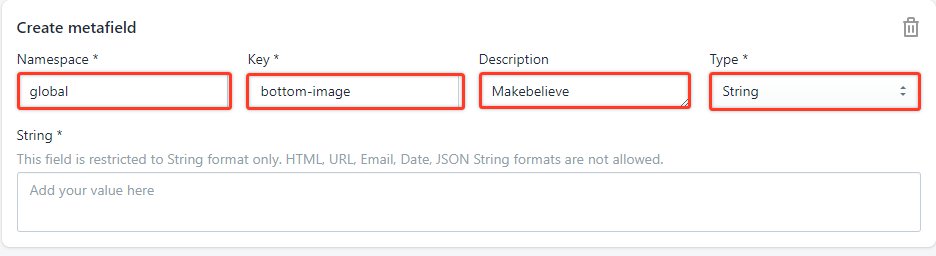
- Click “CREATE METAFIELD”

- Namespace: global
Key: bottom-image
Value: Whatever the file name is in Admin files
Type: String
- Click SAVE.