Remove Email Account
How to remove an Office 365 account for Stress Stop
-
Login to Office.com using Jim's login (passportal)
-
Click on ADMIN (bottom left grey icon with the gear)
-
Click on USERS on the left
-
Select the User you are removing access
-
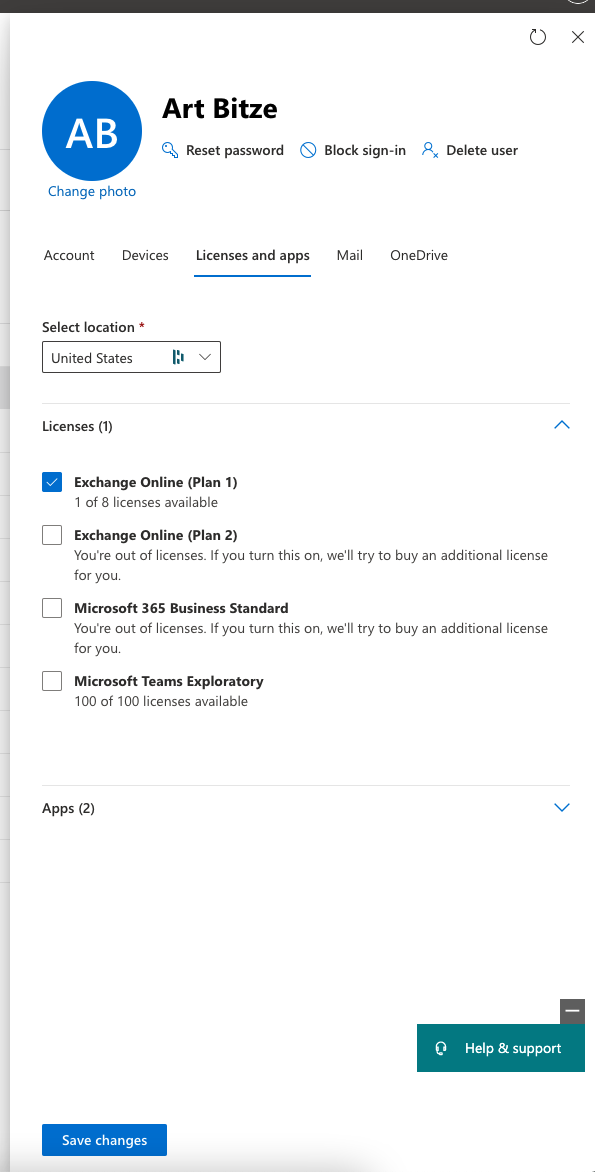
Select the Licenses and apps tab
-
Uncheck all the licenses
-
Hit SAVE CHANGES
-
Click on DELETE USER finally on the top right
-
Click on the DELETE USER button
-
Hit CLOSE and you are done, you can close the tab.