Rug Pad Variant Metafields
Initial Setup
Before we can start using the rug pad upsell system, we need to make sure a few settings are enabled/setup first. Forgetting to set up these settings will result in the system not working ( and nobody wants that ).
Product Display Page Settings
The following settings must be enabled on the product template's "Product Page" Section:
- Show Rug Pads Upsell - Checkbox that enables the upsell logic
- Rug Upsell Product - The product we will use to access metafields + add to cart
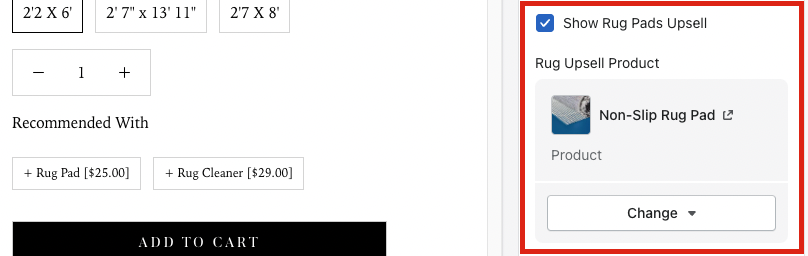 The settings in "Product Page" section that need to be enabled / filled out
If the checkbox is not enabled the system will not work. If the Rug Upsell product does not have a product, the system will not work. We currently use this product for the rug pad upsell -> https://jill-zarin-home.myshopify.com/admin/products/6612174274750
Setting up a product for upsells
For the purpose of this "how to" article, we will be using the following product:
https://jillzarin.com/collections/indoor-rug-collection-now-60-off/products/lexington-avenue-navy-blue?variant=39515842609342 Example Product
We will also be using this Rug Pad product and it's various variants.
https://jill-zarin-home.myshopify.com/admin/products/6612174274750/variants/40849710874814 Rug Pad Variants
Step 1: Look For Matching Pad Sizes
For this part, I recommend having the product options side by side with your rug pad variants.
In this product, I have found a total of 6 rugs that have a matching rug size to our rug pad variants. Below is the list of matching items:
| Product Variant | Rug Pad Variant |
|---|---|
| 4' X 6' Rectangle | 4'x6' Rectangle |
| 5' X 8' Rectangle | 5'x8' Rectangle |
| 8' X 10' Rectangle | 8'x10' Rectangle |
| 9' X 12' Rectangle | 9'x12' Rectangle |
| 8' Round | 8' Round |
| 2'2 X 6' Runner | 2'x6' Runner |
To get the variant text from the product display text, just copy the text in the "currently selected" field
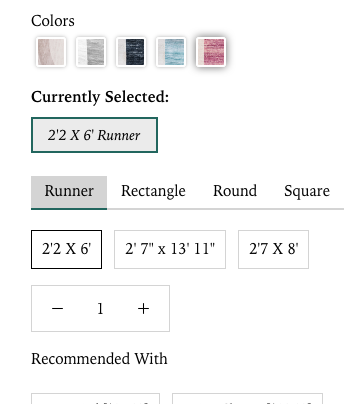 Currently Selected field is above the tab options
Please note that not every variant of rug will be a 1 to 1 match. For example, the 2'2' x 6 runner is associated with the 2'x6' Runner pad.
Step 2: Go To The Pad metafield that matches that size
The next step is to find the matching variant for the rug pads. In our example, we found 6 matching variants so we need to add all 6 of those variants to the rug pad's matching variant. The first of the bunch was the 4 x 6 rectangle.
Find the 4'x6' Rectangle variant on the rug pad variant.
 4x6 Rectangle variant on the rug pad
Step 3: Paste the value in to the field
Scroll to the bottom and find the Metafield's section. Add the 4x6 Rectangle text to the the text box.
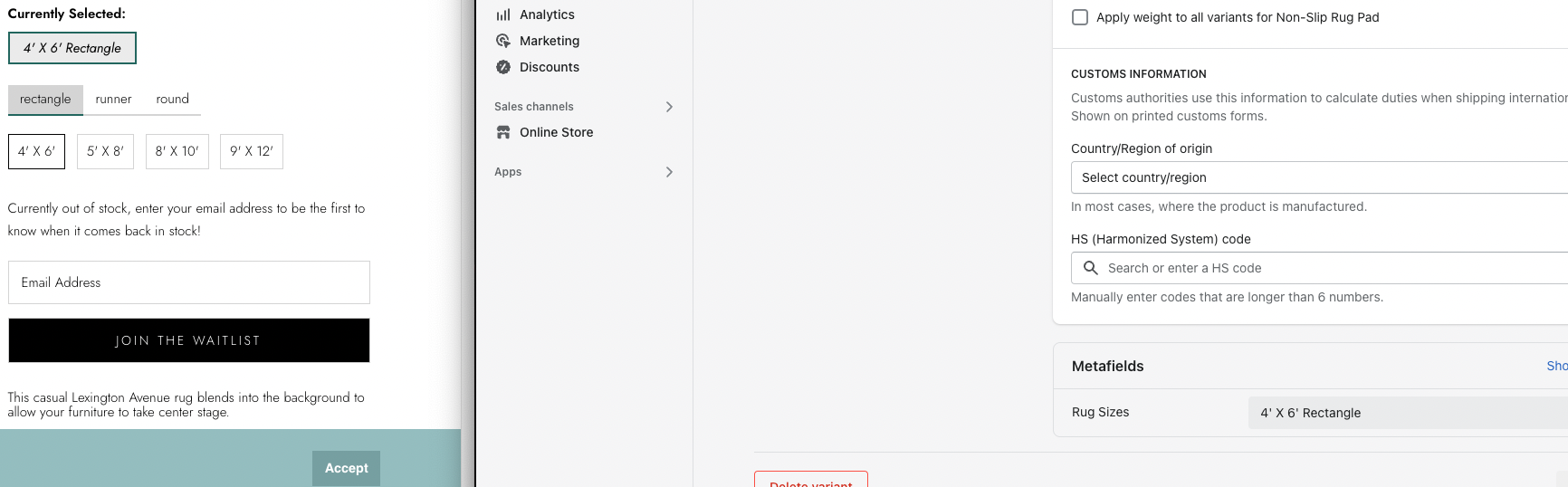 4x6 Rectangle variant added to rug pad metafield
If you need to add more than 1 to this, seperate the values out with a '|'.
 This rug pad variant has 2 possible options that need an upsell.
Step 4: Validate the Upsell
Since the 4x6 Rectangle is Out of Stock in our example, I used the 5x8 Rectangle to showcase the correct output. As you can see the Rug pad upsell is now displaying in the "Recommended with" portion of the page. The price of 32.00 also matches the Rug pad variant in Shopify.
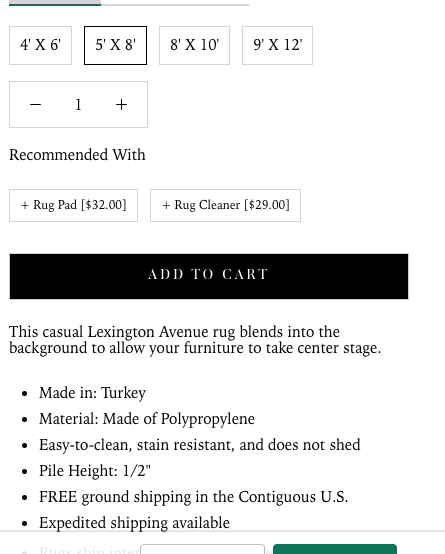 5 x 8 Rectangle Upsell in action
Step 5: Add the Upsell to the cart
Now to put it all together, add your upsell to the cart by checking the rug pad box and clicking the Add to Cart Button. Check to see both products were added to the cart.
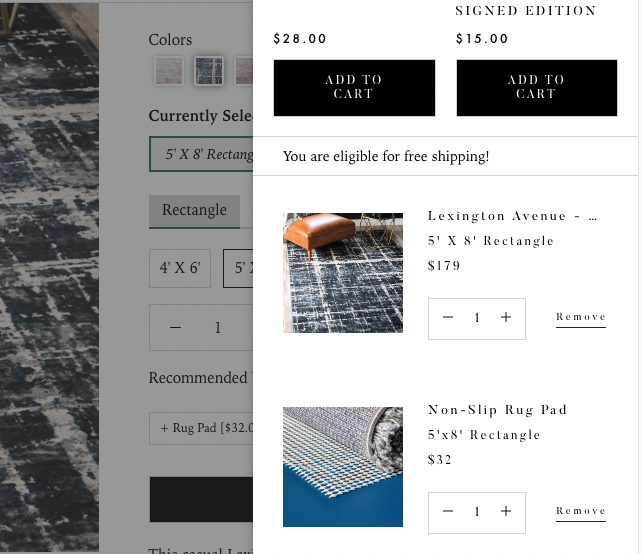 5x8 variant + rug pad were successfully added to the cart!
Congratulations!!! You have successfully set up a rug pad upsell. If anything isn't working correctly, please reach out to us over here at Text Connects. We are more than happy to look into the issue!