Questionnaire Configuration
To edit the questionnaire, find the mystery box product when you open the customizer.
You will see the Mystery Questionnaire section
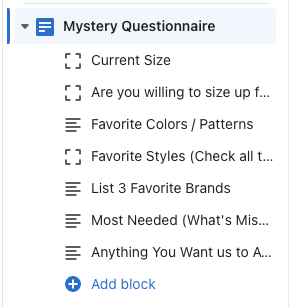
There are 5 different blocks to choose from for the fields:
Checkbox - this is the yes/no option
Textarea - this is a smaller text field compared to a text box
Textbox - bigger textbox option
Dropdown - allows you to add multiple options for the user to select one
Select Group - this is a multiple option checkbox block where the use can select more than one option
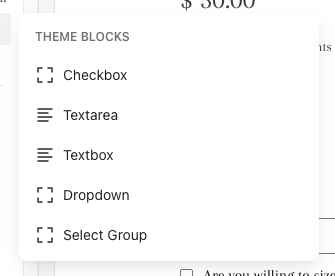
You can add / edit / remove any of these blocks to make your questionnaire what you want
To add this questionnaire to more products, you will have to change the PRODUCT TEMPLATE to the questions template.
-054df1d4346c4183abf2d5a3faca2b9a.png)
Then in the customizer, if you want make a specific questionnaire for a different product, duplicate the questions template. Under products in the dropdown, select CREATE TEMPLATE.

Name it whatever you want, but do not include SPACES. add a hyphen instead (for example - question-2)
By duplicating the template, this allows you to create a whole different questionnaire for a different product. If you use the same template for each product, it will show the same questionnaire for all.