Order Sync Issues
Order won't sync due to product issue

-
Login to Netsuite (password in passportal)
-
Once you login, it will ask for the two factor code, check the two-factor Slack Channel
-
Verify you are in the PRODUCTION account, you can tell - up in the top left you will see SANDBOX in Orange if you are in the non-production account
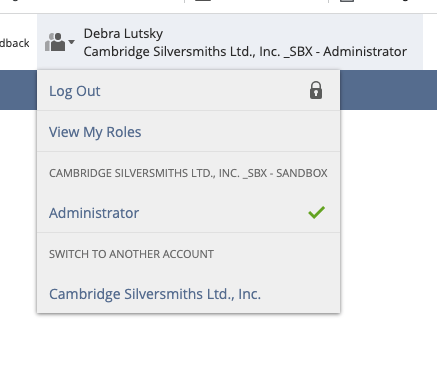
- If you are in sandbox, click on the username on the top right
- Select the Switch to another account and the Cambridge Silversmiths
-
Find the Item that failed from the message (see screenshot above) - this one is Item FYZ22-J
-
In Netsuite box, type the item id and hit enter
-
If there are NO records, then the product needs to be created by the client in Netsuite. Otherwise continue below.